
Account & Security
Purpose
How Dokman protects your login, what signing out actually removes, and how to delete everything. Deletion is support-handled by design: there is no self-service erase button, so nothing disappears by accident.
User Flow
Understand the login
Step 1: Know what's stored where
- Dokman signs into your Dokploy with your email and password, then keeps you signed in on this phone. Your password is never kept - not on your phone, not on our servers.
- Your server address, remembered email, and preferences stay on your phone with the app.
Result:
- You know exactly what exists where before touching anything.
Sign out (device-only)
Step 2: Leave a workspace behind
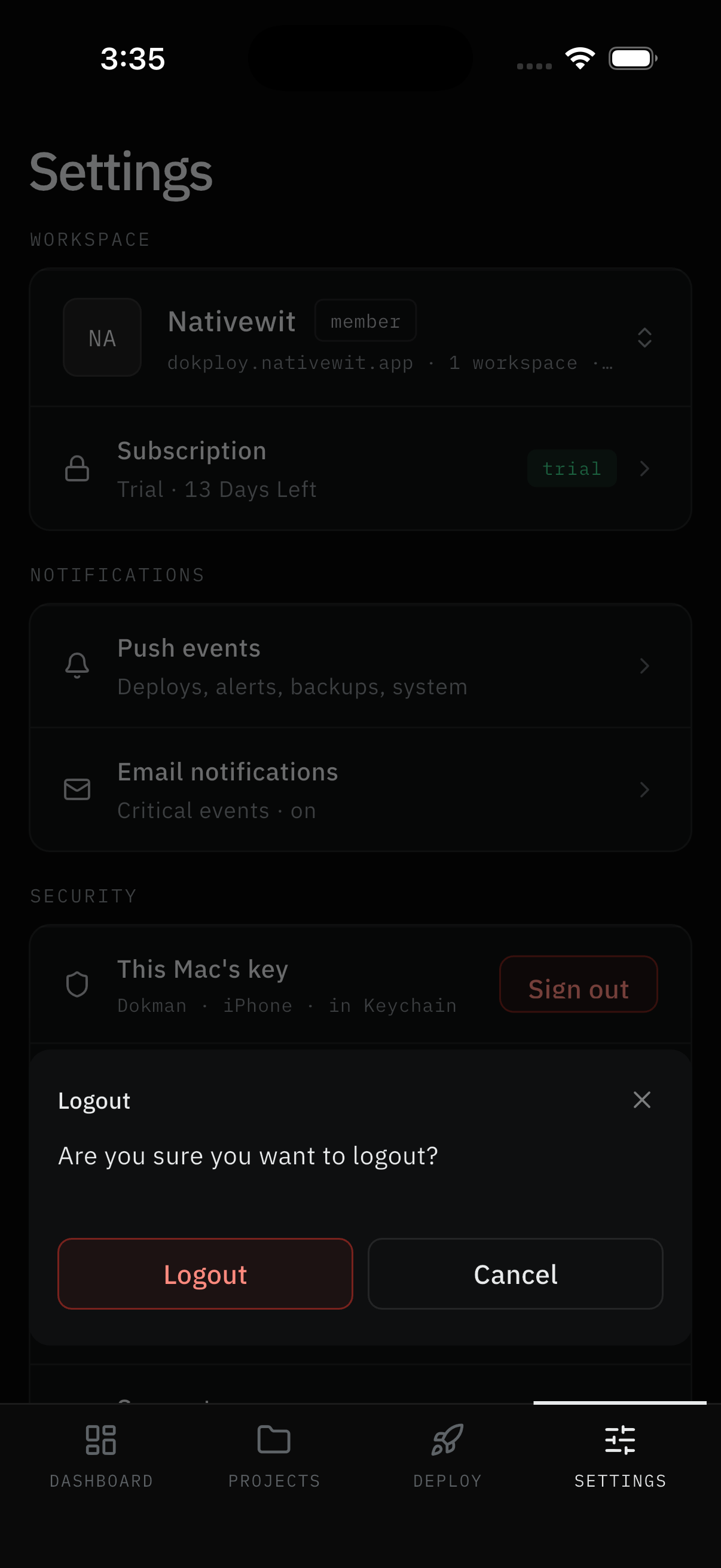
- Open Settings → Security → Sign out and confirm Logout ("Are you sure you want to logout?" with Logout / Cancel).
Result:
- The current workspace leaves this device only. Your server, projects, and notification history are untouched, and other workspaces stay signed in. To leave Dokman behind, sign out everywhere and delete the app.
Delete everything (support-handled)
Step 3: Request erasure by email
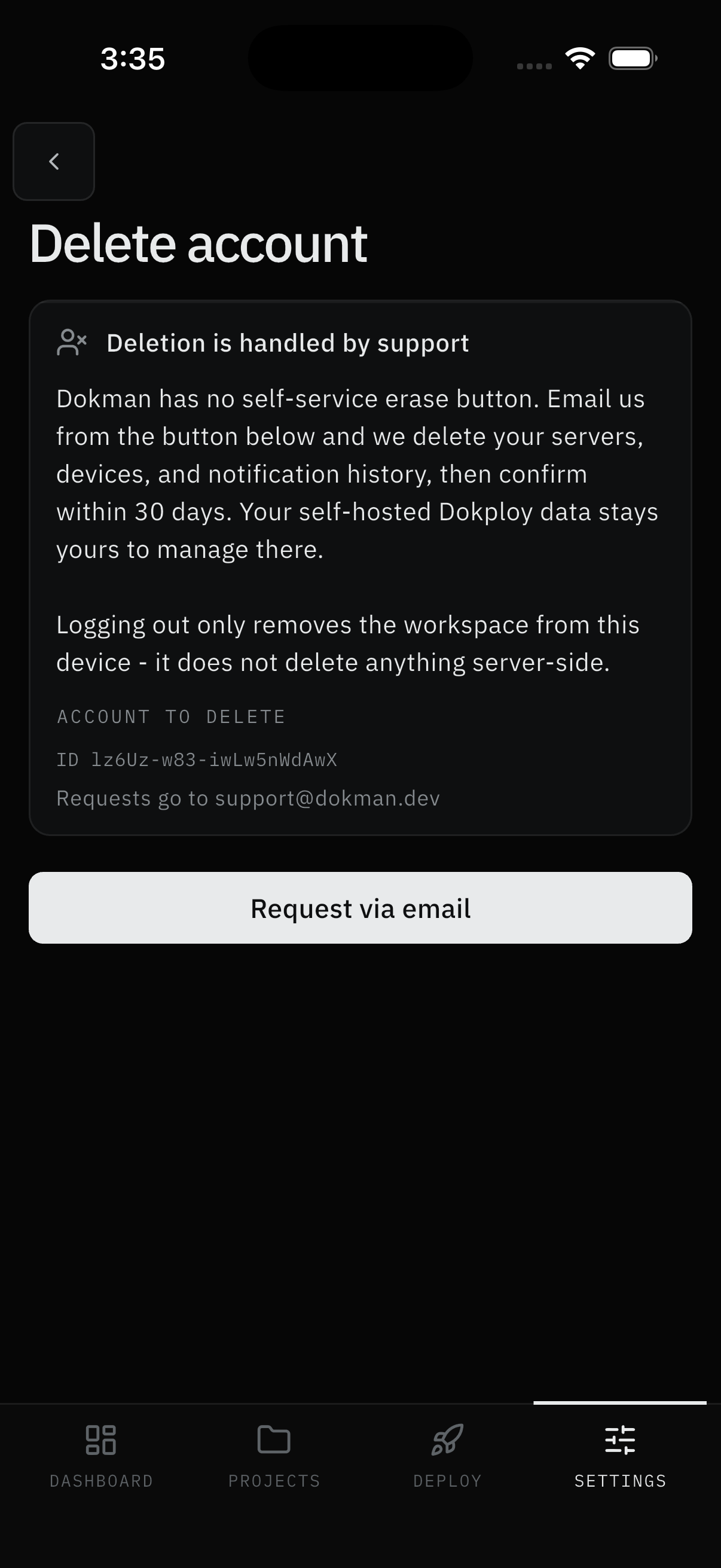
- Open Settings → Security → Delete account (subtitle: "Guide + request via email") and read what deletion covers: your servers, devices, and notification history for that Dokploy login.
- Tap Request via email. A prefilled email opens with your app version and account identity already filled in.
- Send it.
Result:
- Support completes the deletion and confirms within 30 days. Logging out is not deleting - logged-out data stays on our servers until you request deletion. Your self-hosted Dokploy data is yours to manage in Dokploy itself.
Note:
- Questions about data handling live in the Privacy Policy and Terms, also linked from Settings → Support → Legal.
Screens Involved
- Settings Security group (device key, Sign out, Delete account)
- Delete account guide page (coverage explainer, Request via email)
- Prefilled email draft (version, account email, user ID)
Inputs
User Inputs:
- Sign-out confirm
- Send on the prefilled deletion email (tapping the button only opens the draft)
Outputs
- Workspace signed out of this device, or deletion request emailed to support
Error Handling and Edge Cases
| Scenario | System Behavior |
|---|---|
| Mail app won't open | Copy the address and details manually - nothing is lost |
| Signed out but data remains server-side | Expected - sign-out is device-only; request deletion for erasure |
| Wrong account in the draft | Sign in to the right workspace first - the draft reflects the active one |