
Databases
Purpose
Dokman works with the same databases Dokploy does - Postgres, MySQL, MariaDB, Mongo, Redis - plus your Compose stacks. Reach them two ways: the Databases directory showing everything, or as tiles inside a project.
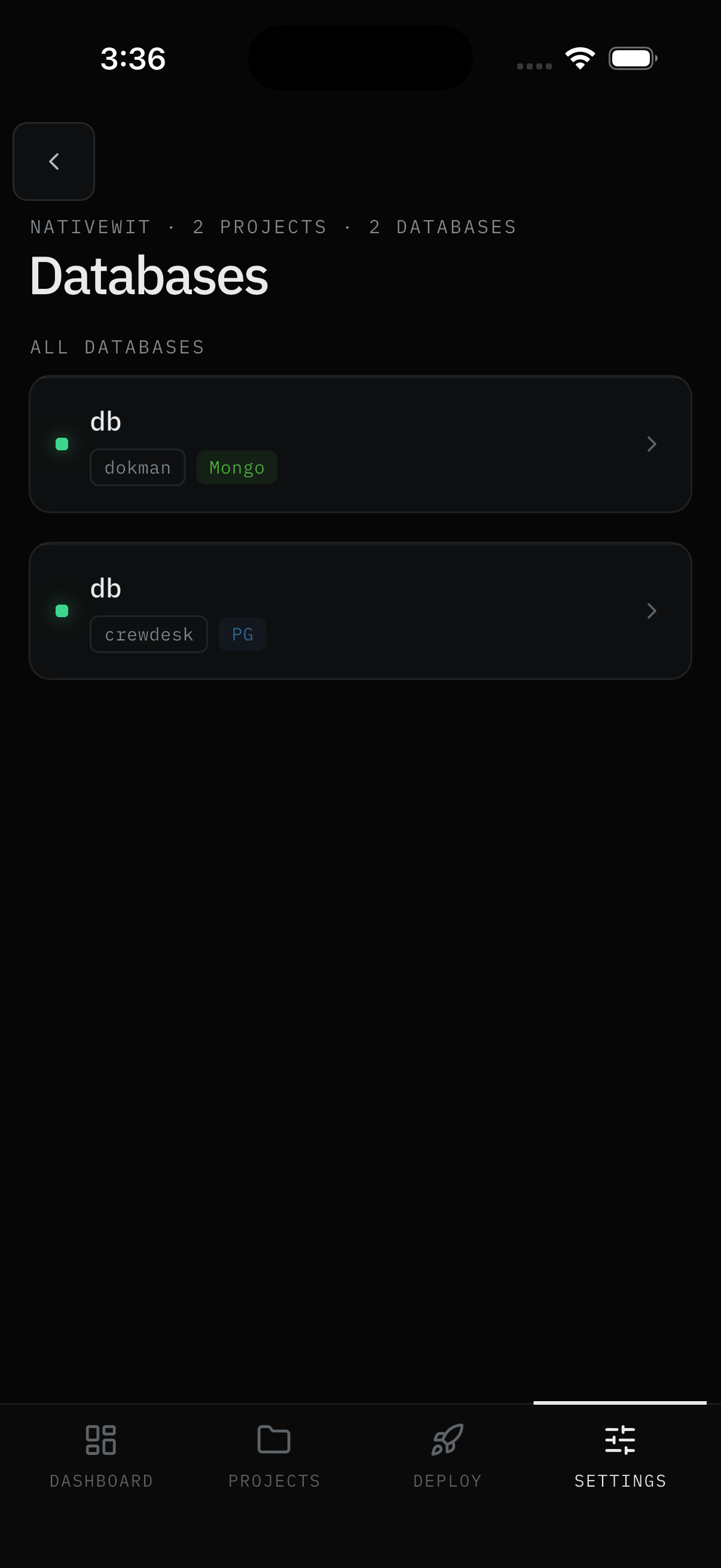
User Flow
Browse the directory
Step 1: Open Databases
- Open the Databases tab. One
ALL DATABASESlist covers every database across projects - each card shows its name, owning project, and type chip (Mongo, PG, …). Pull down to refresh; an empty directory says "No databases - create one in Dokploy to see it here." - Tap any card to open it.
Result:
- The database detail opens.
Run actions
Step 2: Manage the database
- Deploy rebuilds it via Dokploy (expect a brief restart interruption). Stop / Start controls the container.
- Logs shows a live tail (last 100 lines, 500 on Pro).
- Env Vars works like an app's: edit values, save, redeploy or restart when prompted.
- Delete needs Pro plus the admin role, and asks for the typed name to confirm.
- Connection details (host and port) are shown for reference. Read-only accounts see them hidden. Database passwords can't be changed here - that stays in Dokploy.
Result:
- The database is managed without leaving the app.
Work with Compose stacks
Step 3: Open a stack
- For file-based stacks, edit the Compose file right here, then Deploy to build and start everything, or Stop to shut it down. Git-sourced stacks show a read-only preview instead.
- Deployments and logs share the same tabs as apps.
Result:
- The stack is rebuilt, stopped, or inspected in place.
Screens Involved
- Databases tab (type filter, search, cards)
- Database detail (Overview, Env Vars, Deployments, Logs)
- Compose detail (file editor, Deploy/Stop, Deployments, Logs)
Inputs
User Inputs:
- Type filter, search text
- Deploy / Stop / Start / Delete (typed confirm) actions
- Edited env values, Compose file text
Outputs
- Database or stack action executed on Dokploy
- Copied connection details
Error Handling and Edge Cases
| Scenario | System Behavior |
|---|---|
| Database missing | No access to its project in Dokploy - ask an admin for membership |
| Delete button missing | Admin-only - hidden for other roles |
| Connection details hidden | Read-only account on that project |