
Email Notifications
Purpose
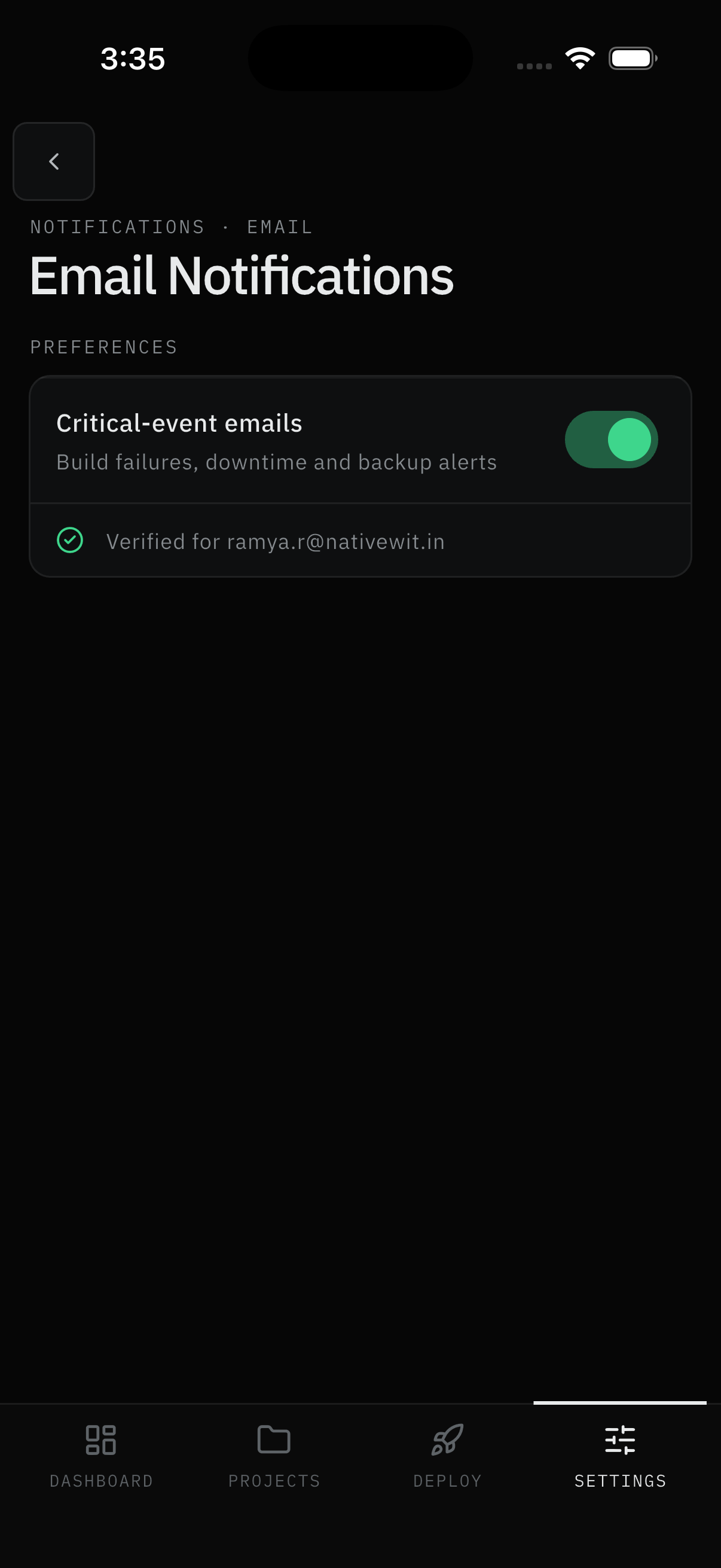
Push isn't the only way out: critical events - build failures, downtime, backup alerts - can also arrive by email, per workspace. Email is a Pro feature; without it, the row stays hidden. Verification keeps stray addresses out: nothing sends until the address is confirmed.
Roles
- Pro - toggle, verify, and receive critical-event email.
- Free - no email row at all.
User Flow
Turn it on
Step 1: Open the email screen
- Open Settings → Notifications → Email notifications.
- Turn on Critical-event emails (build failures, downtime and backup alerts).
Result:
- The address enters the unverified state and the first send triggers verification.
Verify the address
Step 2: Confirm ownership
- The first send emails you a verification link. Open it to confirm.
- The row flips to Verified for you@company.com with a checkmark.
Result:
- Critical events for this workspace start arriving by email.
Note:
- If the link expired, Resend starts a short cooldown (with a live countdown) before you can ask again.
Screens Involved
- Email notifications (critical toggle, verified row)
- Verification email (link), Resend with cooldown countdown
Inputs
User Inputs:
- Critical-event toggle on/off
- Verification link open, Resend taps
Outputs
- Verified address; critical-event emails per workspace
Error Handling and Edge Cases
| Scenario | System Behavior |
|---|---|
| Row missing entirely | Not on Pro - see Subscription |
| "Verify" badge won't clear | Link expired or unopened - use Resend |
| Resend disabled with countdown | Cooldown running - wait it out, then retry |